
You can make a mini magazine, of 8 small pages, from a single printed page with some folding and a single cut – no staples required. This is often called a “mini zine” or “no staples zine” (pronounced like ‘zeen‘), in reference to zine culture (Wikipedia page, alternative less-dull article).
I don’t know who first created this layout / idea. Sure as hell wasn’t me. I just think they’re neat.
You may wish to jump down to download my Affinity templates or help with folding. My finished mini zines for download are on another page.
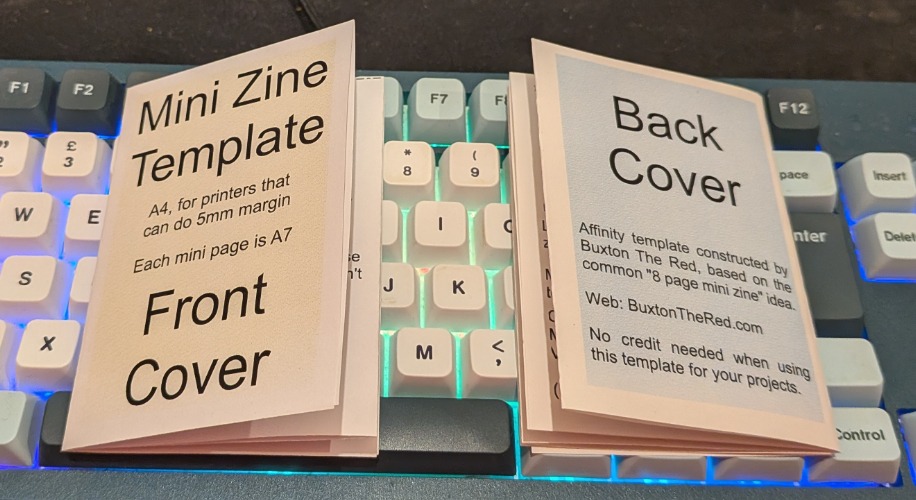
My personal tool of choice for desktop publishing is now the free Affinity software (Windows + MacOS, free but not open source), having previously used the paid Affinity Publisher (and Serif PagePlus before that).
I will probably want make mini-zines for my own ideas, so I created an Affinity Template (.aftemplate). Then I remembered that the USA (and some other countries) use weirdo paper sizes (e.g. “US Letter” at 8.5 x 11 inches), so I made another version for them. Somewhere in between those two, I decided I would share the templates.
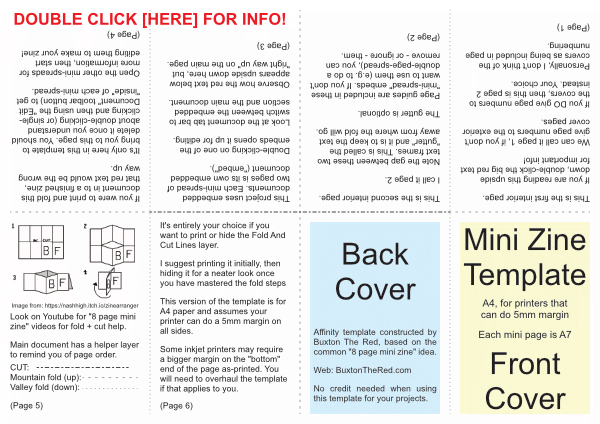
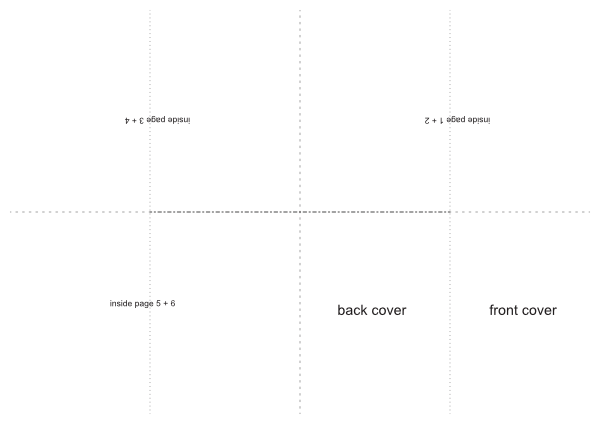
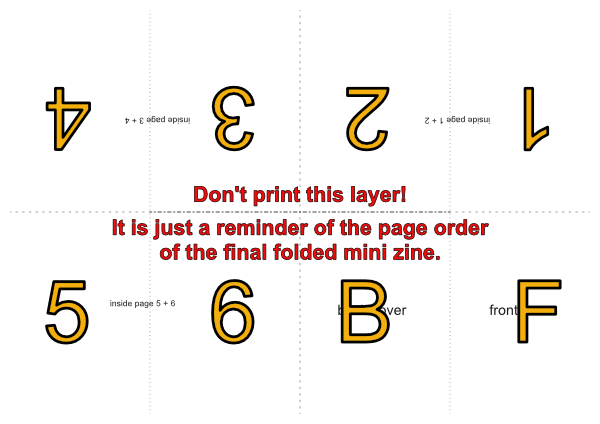
Mini Zine Affinity templates
My mini-zine templates are available in both A4 and US Letter sizes. Each zip contains a “full template” version (contains more instructions) as well as a minimal one (for once you don’t need the instructions). Both versions have a “DON’T PRINT” helper layer included which acts as a reminder / check of the finished page order. The fold-and-cut lines are also on a separate layer that can easily be hidden for a cleaner end result.
These templates use embedded sub-documents for the page spreads (each pair of pages), which means you don’t have to create half of your mini zine content upside down or remember to manually rotate it. Just double-click to open each embedded part; the page spreads on the top half that need to be rotated are embedded with rotation applied so it just works.
These templates assume that your printer can do a 5mm margin and they do not require you to trim the margin off the printed paper before folding.
A4 paper size (210 x 297mm, UK / Europe / most of world):
US Letter paper size (8.5 x 11 inch, mostly North America)
How to “install” these templates:
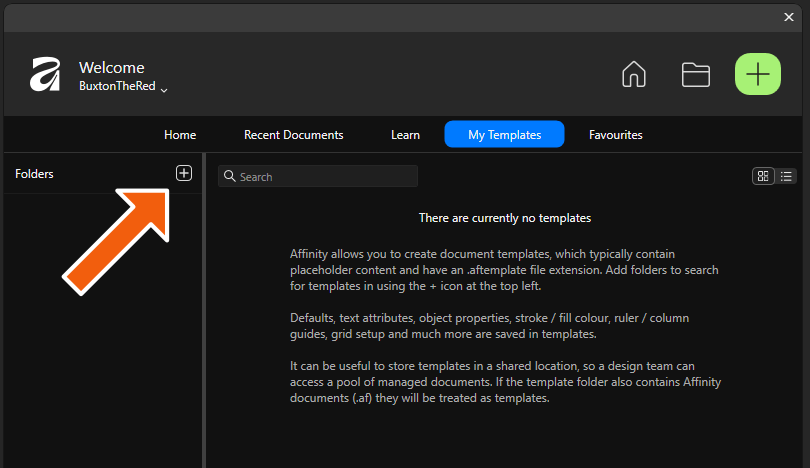
Use your operating system to move the document template files to a folder for long-term storage, then add the folder to the My Templates section of the Welcome screen.
Folding your mini zine
I haven’t created my own folding guide yet, so my suggestion is to watch a few from other people to help you get the hang of it. Some of these do the folds in a different order but they all create the same end shape with one cut, so they match my template.
This short Youtube video from San Mateo County Libraries is a great first watch:
This Instagram video by ‘mamapapabubba’ is probably the best quick-short demo I’ve found. You don’t need the audio.
This video from Austin Kleon is also quite short and helpful. I prefer to make the centre-cut with scissors rather than tear the paper like he does, but you should try both ways and see which way you like. Austin also shows his approach in an Instagram video.
More Mini Zine Resources
Tahoe Trail Guide has an excellent page about mini zines including some other templates and embeds of other how-to-fold videos.
If you would prefer to design large-size (A4, etc.) page content, export to a PDF and then have a website tool convert that down in to a mini-zine PDF, The ZineArranger by Nash High is what you want. I have borrowed Nash’s folding-guide image and included it in the main version of my template.
Wikibooks has a whole section on Zine Making – here’s a link directly to their bit about the 8 page mini zine.
Brief links to some other interesting pages about mini zines that I’ve found by Malin Moilanen on Behance and ICA Boston.
Suggested Next Watching / Reading
An artist and maker by the name of Bre has a superb longer Youtube video about mini zines which both shows a really good how-to on the fold-cut-fold process and has more general background information as well as a show-and-tell of mini zines she has created.
I’ve linked that rather than embedding because it’s about twelve minutes long and deserves to be watched properly on Youtube. She also has some good resources linked in that video’s description, including her own Bre’s Zine Resources google doc where she has gathered a bunch of further links and info.